inkStar Logo

inkStar is the tattoo industry's home base.

The all-in-one app built for tattoo professionals

Fill more chairs, reduce cancellations, and stay legally protected. One mobile app for scheduling, consent forms, payments, and client management - built by tattoo studio owners who know the daily grind.

Already using another tool? Import your clients and go live in a day.

  • Works 100% offline
  • Tattoo-compliant consent storage
  • Cancel anytime
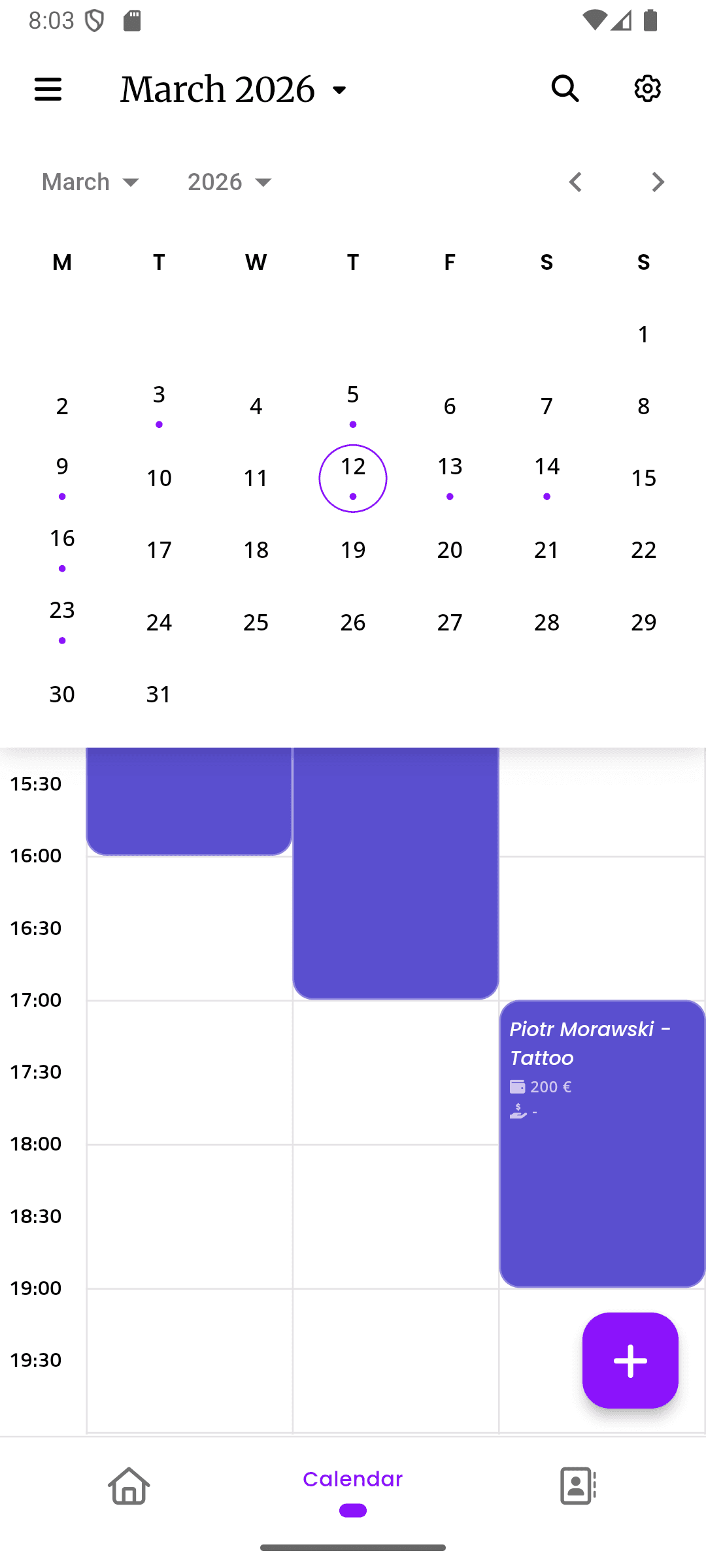
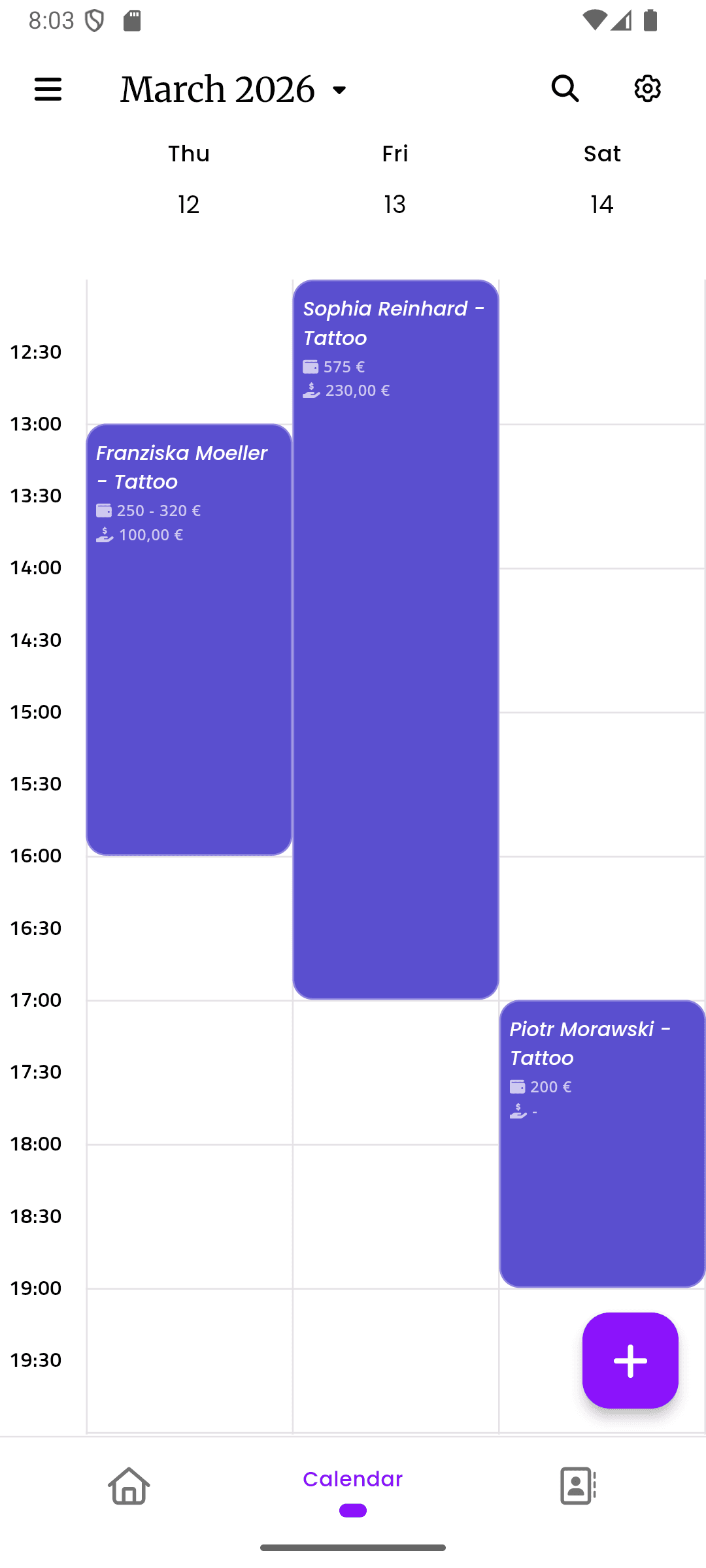
inkStar app showing calendar and appointment details on two phones

Running a tattoo business shouldn't burn you out

You got into this to create art, not to spend your evenings chasing deposits, sorting consent forms, and fighting with spreadsheets.

  • No-shows destroy your income

    You blocked out three hours for a sleeve session. The client doesn't show. No deposit, no cancellation, no way to fill that slot. That's rent money gone.

    Lost revenue every single week
  • Paper consent forms are a legal liability

    Stacks of paper forms in a filing cabinet. Can you find the one from six months ago? What if there's a dispute? Paper fades, gets lost, and doesn't hold up in court.

    Unprotected if something goes wrong
  • Scheduling chaos across artists

    Double bookings, forgotten appointments, artists checking their own calendars on their phones. No single source of truth for who's working when.

    Wasted time and frustrated clients
  • Getting paid is awkward

    Asking for deposits via DM, chasing payments after sessions, splitting costs for multi-session pieces. The money conversation kills the creative vibe.

    Cash flow you can't predict
  • Multi-session pieces fall through the cracks

    A back piece over four sessions. The client doesn't rebook after session two. No automatic follow-up, no linked progress record, no way to track what's been paid vs. what's outstanding.

    Unfinished projects and lost follow-up revenue
  • Convention chaos - no WiFi, no system

    You're at a convention, the WiFi is terrible, and your cloud-based booking tool is useless. Back to pen and paper, hoping you don't lose anything.

    Your system fails when you need it most

From chaos to clarity in three steps

One mobile system handles online booking, automatic deposits, appointment reminders, and consent forms. Install it, let AI handle the setup, and get back to what you do best.

  1. Install on your phone

    Download the app and sign in. That's it - no desktop required, no IT department needed.

  2. Let AI set you up

    Our AI assistant configures your services, working hours, and booking rules based on a quick conversation.

  3. Run your studio

    Start booking appointments, collecting deposits, and managing clients from day one. No add-ons, no extra fees.

  • Smart Scheduling

    AI-powered time slot suggestions based on artist availability and session duration.

  • Online Booking

    Clients book directly through your personalized booking page with automatic deposits.

  • Consent Forms

    Tattoo-compliant digital forms with signatures, timestamps, and audit trail.

  • Offline Mode

    Full functionality without internet. Syncs when you're back online.

inkStar calendar view with appointment overlay
  • Klarna Installments

    Offer payment plans for big pieces. You get paid upfront.

  • Client Profiles

    Complete history, preferences, and notes for every client.

  • Business Dashboards

    Real-time revenue, commissions, and performance at a glance.

  • Automated Reminders

    Reduce no-shows with automatic appointment reminders and deposit requests.

Every tool a tattoo artist needs

Not another generic booking app. Every feature was designed around how tattoo professionals actually work - from consent compliance to convention workflows.

  1. Fill your chair, not your voicemail

    AI analyzes your calendar, session types, and buffer preferences to suggest the best available slots. Clients book online - you approve or let it auto-confirm. No more back-and-forth DMs to find a time.

    • AI time slot finder accounts for session length, setup, and breaks
    • Clients see real-time availability on your personal booking page
    • Automatic reminders and deposit requests reduce no-shows
    inkStar AI time slot finder suggesting optimal appointment times
  2. Consent forms that protect you

    Tattoo-specific consent templates with digital signatures, timestamps, ID verification, and a full legal audit trail. Stored securely and linked to each client and appointment. Meets local health and safety regulations so you're covered if there's ever a dispute.

    • Pre-built tattoo consent templates customizable to your local laws
    • Digital signatures with timestamp, IP logging, and legal audit trail
    • GDPR-compliant storage with automatic attachment to client profiles
    inkStar digital consent form preview with signature
  3. Big pieces, easy payments

    Send payment links via the app - no awkward money conversations. Collect deposits at booking, offer Klarna installments for large pieces, and track every payment automatically. Clients pay how they want, you get paid on time.

    • One-tap payment links sent directly from the appointment
    • Klarna installments make big pieces affordable for more clients
    • Automatic deposit collection at booking eliminates no-shows
    inkStar appointment with payment link and Klarna options
  4. Know every client before they sit down

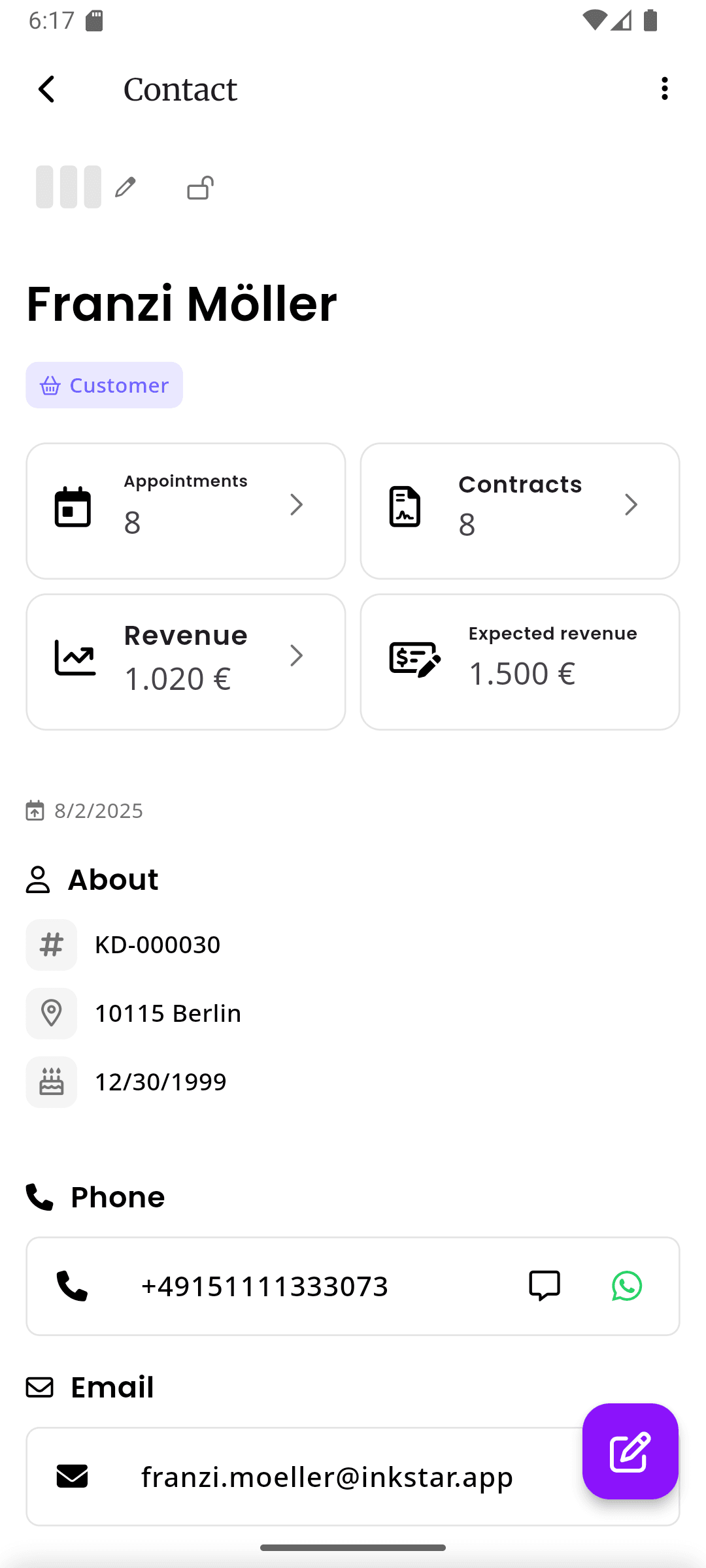
    Every client has a complete profile with appointment history, consent forms, payment records, and your personal notes. See their previous work, preferences, and any flags before they walk through the door.

    • Full appointment and payment history at a glance
    • Personal notes, preferences, and strike system for problem clients
    • Consent forms and photos automatically linked to their profile
    inkStar client profile with appointment history and details
  5. Numbers that actually matter

    See your revenue, commissions, booking rates, and trends in real-time dashboards built for tattoo businesses. Know which services bring the most money, which days are busiest, and how each artist is performing.

    • Revenue breakdown by artist, service type, and time period
    • Commission tracking with automatic calculations per artist
    • Booking trends and cancellation rates to optimize your schedule
    inkStar business dashboard with revenue charts and reports
  6. Convention-proof your business

    inkStar works without internet. Book appointments, collect signatures, log payments - everything functions offline and syncs automatically when connectivity returns. Your system works where you work.

    • Full scheduling, payments, and consent forms work offline
    • Automatic sync when you reconnect - no data loss
    • Designed for conventions, guest spots, and unreliable studio WiFi
    inkStar calendar working in offline mode
  7. One team calendar, zero conflicts

    See every artist's schedule in one shared team calendar. Block time for setups, reschedule with drag-and-drop, and avoid double bookings across your whole studio. Artists see their own view, managers see everything.

    • Shared team calendar with per-artist views and filters
    • Drag-and-drop rescheduling with automatic client notifications
    • Block time slots for setup, breaks, or walk-in availability
    inkStar team calendar showing multiple artist schedules

Solo artist or full studio - inkStar scales with you

Whether you're working out of your own space or managing a team across locations, inkStar adapts to how you work.

Solo Artists & Freelancers

Run your entire business from your phone. No receptionist, no office, no problem.

  • Your own calendar with AI-powered scheduling
  • Personal booking page clients can share
  • Send payment links and deposit requests via DM
  • Full offline mode for conventions and guest spots
  • Track commissions when doing guest gigs at other studios

Studio Owners

One dashboard for your entire operation. Every artist, every location, every dollar - visible and accounted for.

  • Multi-location management from a single account
  • Employee profiles with schedules and commission rates
  • Role-based permissions for artists, managers, and front desk
  • Unified reporting across all artists and services
  • Shared client database with cross-artist history
  • Front desk view for reception staff to manage walk-ins and check-ins

How inkStar compares

Calendly wasn't built for consent forms. Fresha doesn't work offline. See how a purpose-built tattoo tool stacks up against the alternatives.

  • Tattoo consent forms

    Pen & Paper
    Paper forms, easy to lose
    Generic Tools
    Generic waivers, not tattoo-specific
    inkStar
    Digital, tattoo-specific, legally sound
  • Consent legal validity

    Pen & Paper
    No audit trail, fades over time
    Generic Tools
    Basic e-sign, no health compliance
    inkStar
    Timestamped, audit trail, GDPR-compliant
  • Appointment scheduling

    Pen & Paper
    Manual, error-prone
    Generic Tools
    Calendar-based booking
    inkStar
    AI-powered time slot suggestions
  • Team calendar / sync

    Pen & Paper
    Each artist on their own
    Generic Tools
    Basic shared calendar
    inkStar
    Shared team view with per-artist filters
  • Downpayment collection

    Pen & Paper
    Cash only, no tracking
    Generic Tools
    Basic payment links
    inkStar
    Automatic deposits at booking
  • Offline functionality

    Pen & Paper
    Works offline, but no sync
    Generic Tools
    Cloud-only, useless offline
    inkStar
    Full offline with auto-sync
  • Client strike system

    Pen & Paper
    Memory-based
    Generic Tools
    Not available
    inkStar
    Built-in strikes and auto-lock
  • Multi-session tracking

    Pen & Paper
    Scattered notes
    Generic Tools
    Manual workarounds
    inkStar
    Linked sessions with progress tracking
  • Artist commissions

    Pen & Paper
    Spreadsheet nightmares
    Generic Tools
    Basic reporting
    inkStar
    Automatic calculation and tracking
  • Guest artist management

    Pen & Paper
    Ad hoc arrangements
    Generic Tools
    Not supported
    inkStar
    Temporary access with custom terms
  • Convention / mobile use

    Pen & Paper
    Works, but no digital backup
    Generic Tools
    Needs stable internet
    inkStar
    Built for offline, mobile-first
  • Built for tattoo industry

    Pen & Paper
    Generic, no tattoo features
    Generic Tools
    One-size-fits-all
    inkStar
    Every feature designed for tattoo

Artists who switched to inkStar

Hear from tattoo professionals who made the switch.

  • Downpayments changed everything for my solo practice.

    I used to lose two or three afternoons a month to no-shows. Since switching to inkStar, clients pay a deposit when they book. The ones who aren't serious just don't book anymore. My calendar went from half-empty Tuesdays to fully booked weeks.

    Sophia Martinez
    Solo Tattoo Artist, 1-chair studio · Barcelona
  • Commission tracking saved my relationships with my artists.

    With four artists in the studio, every month ended with questions. 'Did you count that tip?' 'What about the deposit from last week?' Since we moved to inkStar, commissions calculate automatically and artists see their earnings in real-time. Zero disputes in eight months.

    James O'Reilly
    Owner, 4-artist studio · Dublin
  • Offline mode at conventions is a lifesaver.

    I do five or six conventions a year, and every other tool I tried was useless the moment WiFi dropped. At my last convention, I booked twelve walk-ins, collected consent forms, and took deposits - all offline. It synced everything when I got home. No lost data, no re-entry.

    Marcus Jensen
    Tattoo Artist, convention circuit · Berlin

Got questions?

Everything you need to know about using inkStar for your tattoo business.

inkStar is built for the beauty and body art industry, but it's especially deep on tattoo-specific features like consent forms, multi-session tracking, client strike systems, and convention-friendly offline mode. If you're a tattoo artist, piercer, or studio owner, this was built for you.

No. Your clients use a web browser - that's it. They receive booking confirmations, consent forms, and payment links via email or SMS. Only you and your team use the app.

Yes - full offline support. Schedule appointments, collect digital signatures on consent forms, log payments, and manage your calendar without any internet connection. Everything syncs automatically when you reconnect. Designed specifically for convention floors where WiFi is unreliable.

Credit and debit cards, PayPal, instant bank transfer, and Klarna installments for larger pieces. Cash payments can be logged manually. All digital payments are tracked automatically in your financial records.

Yes. Add artists with their own schedules, commission rates, and permissions. Track performance and commissions automatically. Role-based access means your front desk sees what they need, and artists see what they need.

Yes. inkStar consent forms include digital signatures with timestamps, IP logging, and a full audit trail. Forms are stored in GDPR-compliant infrastructure and linked to each client and appointment. They meet the requirements of EU eIDAS regulation for electronic signatures and are designed to comply with local health and safety consent standards.

You can import your existing client list via CSV. Appointment history and consent form archives can be uploaded during onboarding. Our team helps you set up your services, working hours, and booking rules so you're ready to go within a day.

No long-term contracts. You can cancel anytime, and your data is always exportable. Start with a free trial - cancel before it ends and you won't be charged.

Yes. One account manages all your locations. Each location has its own schedule, artists, and settings, but you get unified reporting and can share client data across locations with proper permissions.

Generic tools like Calendly and Fresha weren't designed for tattoo workflows. They don't support tattoo-specific consent forms, multi-session tracking, client strike systems, offline mode at conventions, or artist commission calculations. inkStar was built by tattoo studio owners specifically for these workflows.

Yes. Scheduling, online booking, consent forms, payments, Klarna installments, client management, team calendars, commission tracking, business dashboards, and offline mode are all included. No hidden modules, no per-feature pricing. One mobile-first system.

Still have questions?
Contact Support

Ready to Transform Your Studio?

Start your free trial today and see for yourself how inkStar simplifies your daily workflow.

What you get with your free trial:

  • Full access to all features for 7 days
  • Free data migration assistance
  • Personal onboarding session
  • Dedicated support team
  • 7-day free trial
  • Cancel anytime
  • GDPR compliant
  • Encrypted data at rest & in transit
inkStar

Everything Your Studio Needs

Built by studio owners, for studio owners

  • Works Offline
    Full functionality without internet. Syncs automatically when you're back online.
  • Digital Contracts
    Consent forms, signatures, and medical history. All paperless and legally sound.
  • Integrated Payments
    Card, PayPal, Klarna installments. Automatic deposit collection at booking.
  • Smart Scheduling
    Availability-based slot suggestions. Online booking page for your customers.
Artist Testimonial
inkStar transformed my chaotic studio into a professional business.
Maria Chen
Tattoo Artist, Berlin
Tattoo Studio Management Software - Built by Studio Owners | inkStar