inkStar Logo

Digital Consent Forms That Protect Your Studio

Custom templates, QR code signing, automatic data sync, and end-to-end encryption. Paperwork that handles itself - built for tattoo studios, PMU artists, and piercing professionals.

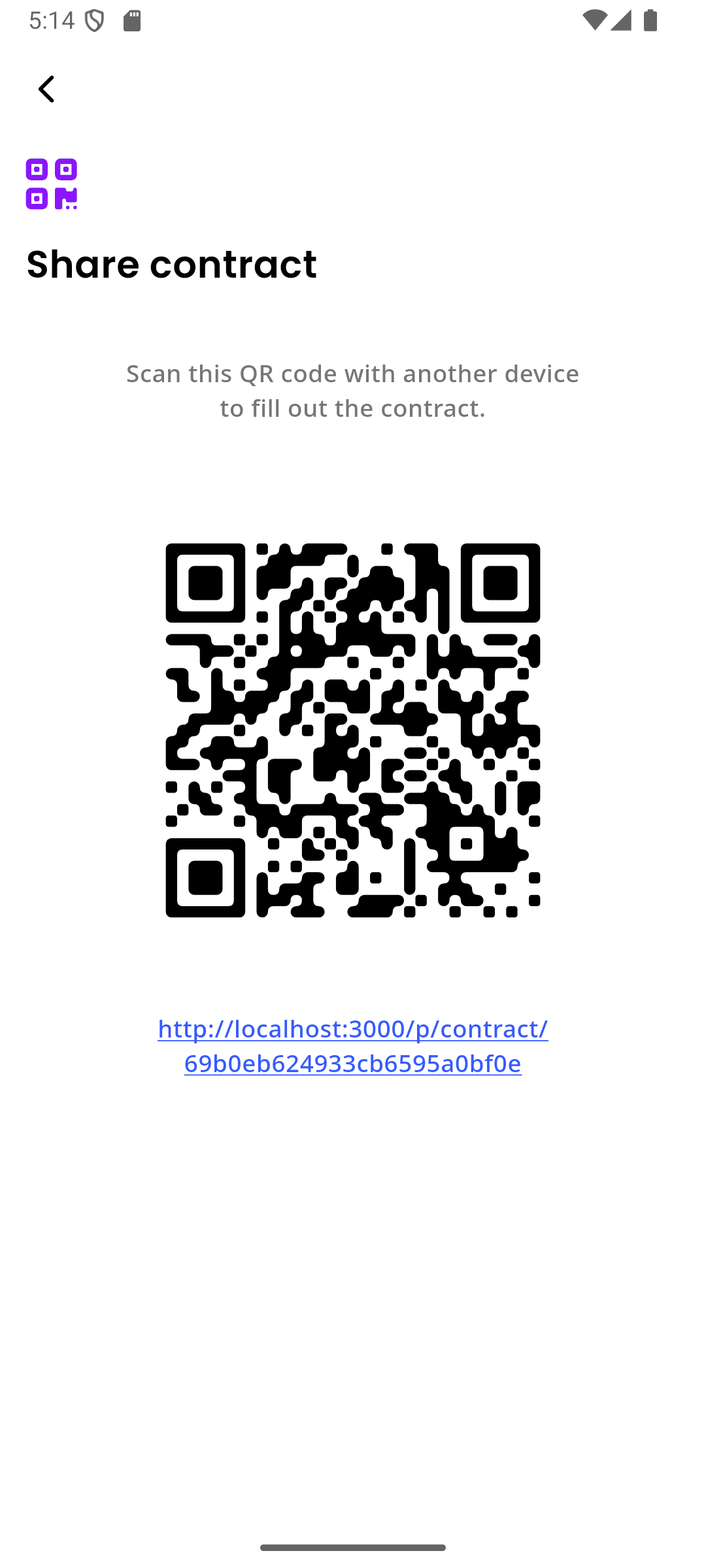
inkStar QR code consent form sharing page

Paper consent forms are a ticking time bomb

One lost form, one illegible signature, one missing date - and your studio is exposed. Paper consent is a liability disguised as a process.

  1. Paper forms get lost or damaged

    A single coffee spill or a misplaced folder, and months of signed consent forms are gone. When a dispute arises, you have nothing to show for it.

    Legal Risk
  2. Illegible handwriting causes critical errors

    Clients rush through forms in the waiting area. Allergies misspelled, medical conditions skipped, phone numbers unreadable. You're making decisions based on information you can't even read.

    Documentation Risk
  3. No verifiable proof of informed consent

    A scribble on a piece of paper won't hold up when a client claims they were never informed about risks. Without timestamps, IP logs, or digital verification, it's your word against theirs.

    Liability Risk
  4. GDPR non-compliance with paper storage

    Paper forms sitting in filing cabinets with no access controls, no encryption, and no audit trail. That's a GDPR violation waiting to happen - with fines up to 4% of annual revenue.

    Compliance Risk
  5. Hours wasted on manual form management

    Printing forms, handing them out, collecting them, filing them, searching through cabinets when you need one. All that time could be spent on clients.

    Efficiency Risk

Consent management built for studios

inkStar handles your entire consent workflow - from custom templates to encrypted storage. No paper, no scanning, no chasing signatures.

  • Custom Template Builder

    Drag-and-drop block editor for consent forms, medical questionnaires, and photo releases.

  • Per-Service Assignment

    Different forms for tattoo, PMU, piercing - automatically attached when clients book.

  • QR Code Signing

    Clients scan a QR code and sign on their own phone. No shared tablets or clipboards.

  • E-Signatures with Digital Trail

    Finger-drawn signatures captured with timestamps, designed to support legal requirements.

  • Automatic Profile Sync

    Allergies, medical conditions, and emergency contacts flow straight into client profiles.

  • Encryption & Audit Trail

    Signed forms are encrypted at rest and in transit, with access logging for accountability.

  • Designed for GDPR Support

    Tools for data retention, access rights, and deletion requests to help meet compliance needs.

  • Instant Retrieval

    Pull up any signed consent form in seconds - searchable by client, date, or service.

Everything you need for bulletproof consent

From a powerful template editor to encrypted storage with full audit trails - here's how inkStar replaces your paper forms for good.

  1. Custom Contract Templates

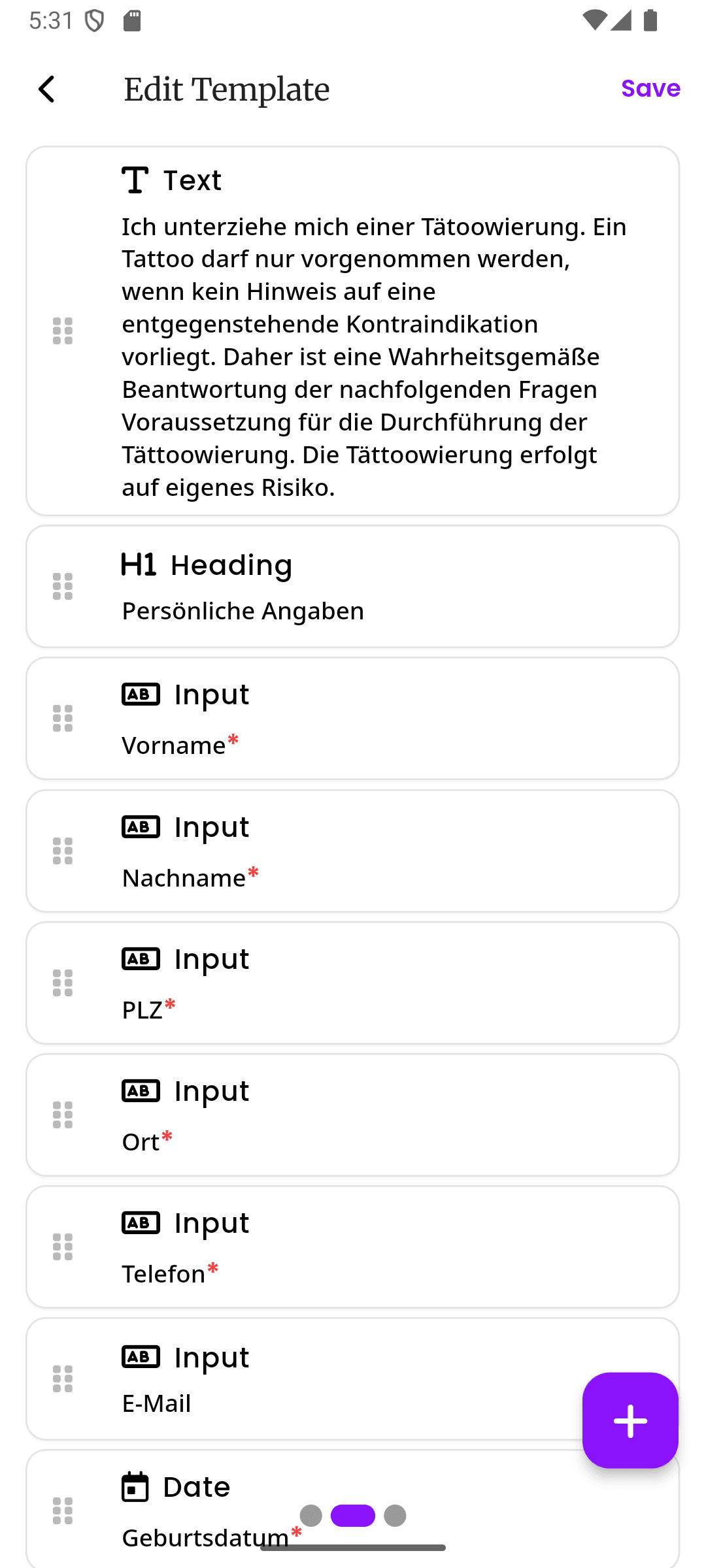
    Build consent forms that match your studio's exact needs. The block editor lets you drag and drop text paragraphs, checkboxes, signature fields, date pickers, medical questionnaires, and photo release clauses. Reorder sections, add conditional logic, and preview exactly what clients will see on their phone.

    • Drag-and-drop block editor with live preview
    • Pre-built blocks for signatures, checkboxes, and medical questions
    • Duplicate and version templates as your needs evolve
    inkStar contract template block editor with drag-and-drop form fields
  2. Per-Service Form Assignment

    Assign different consent forms to different service types. A tattoo session needs a full medical questionnaire and aftercare agreement. A piercing needs a different risk disclosure. A PMU touchup might only need a photo release. Set it once, and the right form is always attached to the right booking.

    • Link specific templates to specific service types
    • Multiple forms per service when needed
    • Auto-attached when clients book online
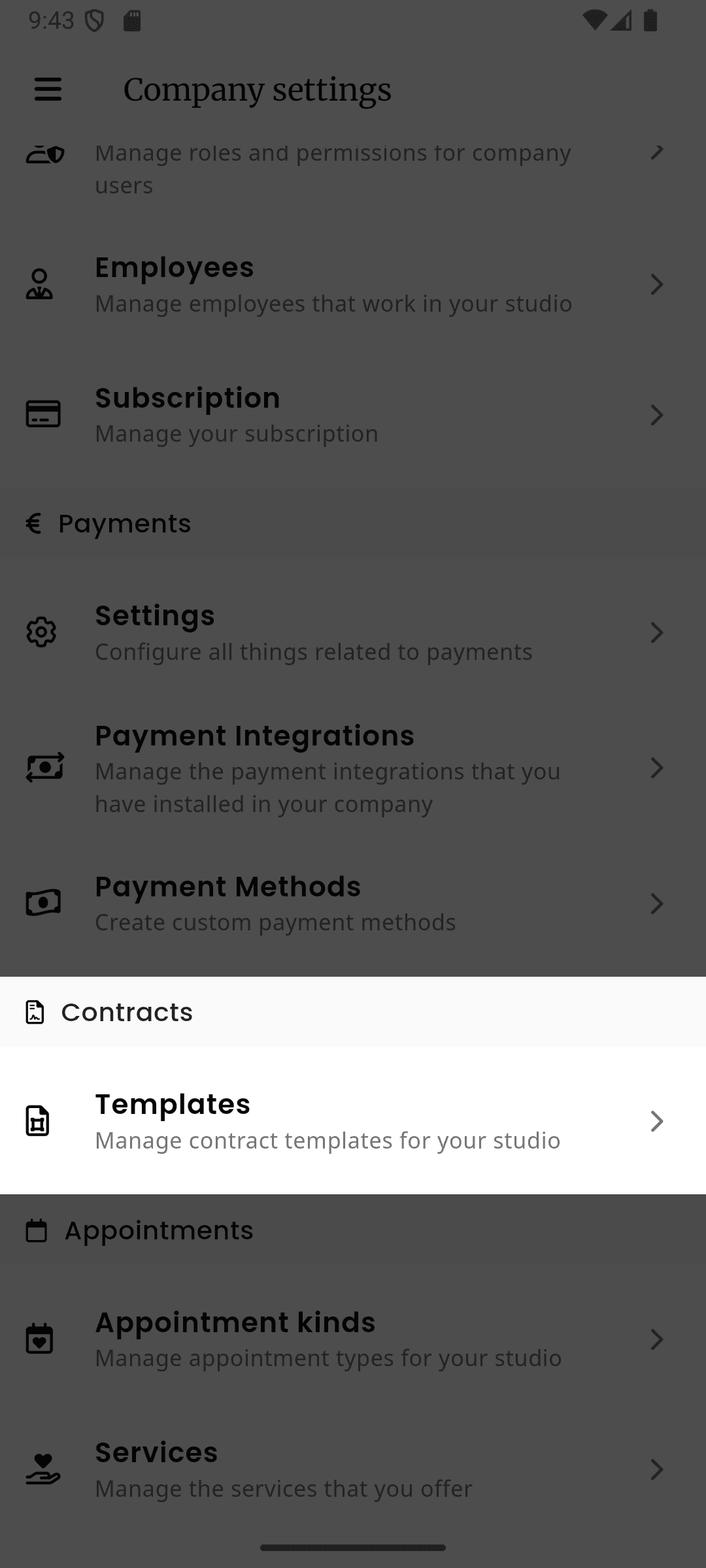
    inkStar service configuration showing linked consent form templates
  3. QR Code Signing

    No shared tablets, no clipboards. Display a QR code on your counter, waiting area screen, or booking confirmation email. Clients scan it with their phone, fill out the form in their own time, and sign with their finger. The form is submitted before they even sit down in the chair.

    • Clients use their own phone - no shared devices
    • Works in any browser, no app download required
    • Forms can be completed before arriving at the studio
    inkStar QR code consent form page on a client's mobile phone
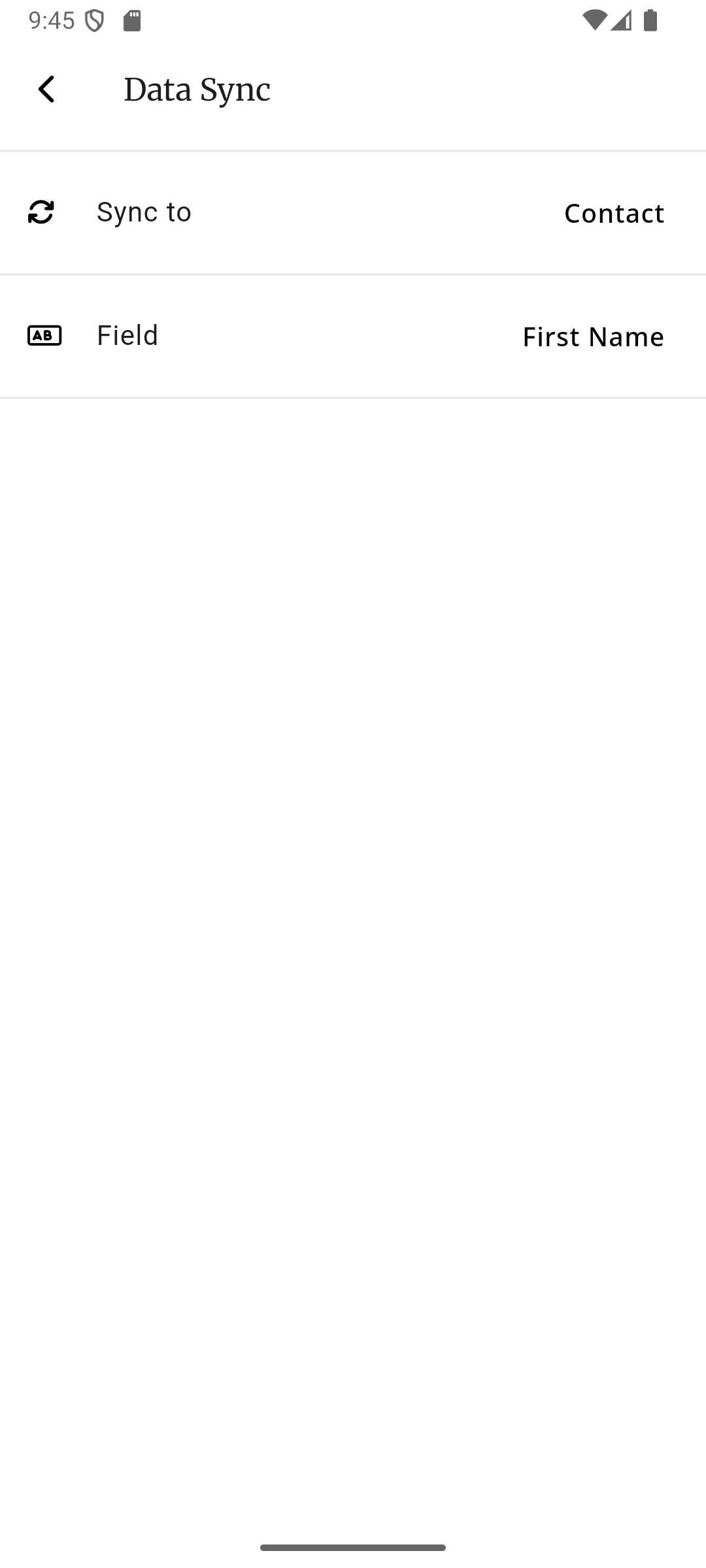
  4. Automatic Data Sync to Profiles

    When a client submits a signed consent form, the structured data flows directly into their profile. Allergies, medical conditions, emergency contacts, and consent preferences are extracted and stored as searchable fields - not buried in a PDF you'll never open again.

    • Allergies and medical conditions sync to client profiles
    • Emergency contacts always up to date
    • Searchable structured data, not buried PDFs
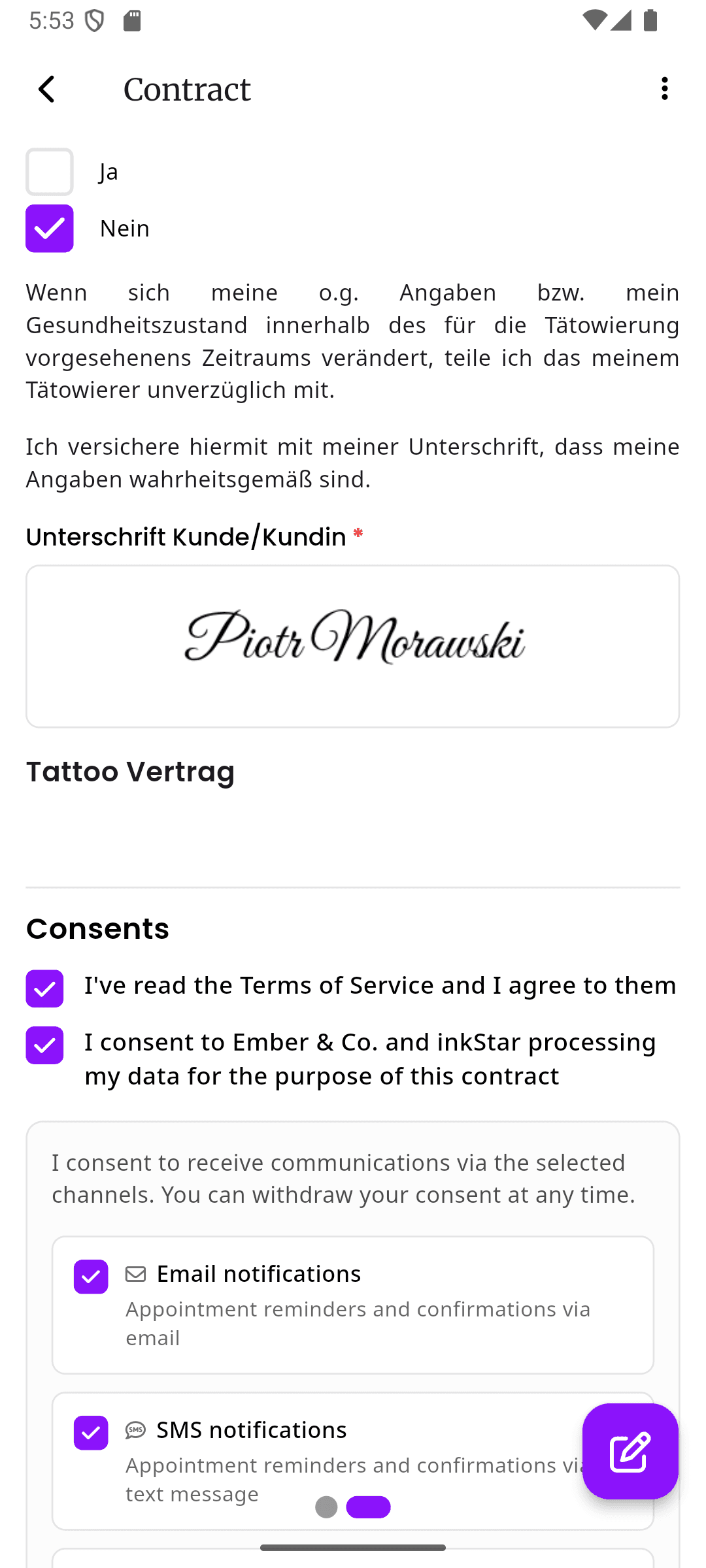
    inkStar client profile showing synced data from signed consent form
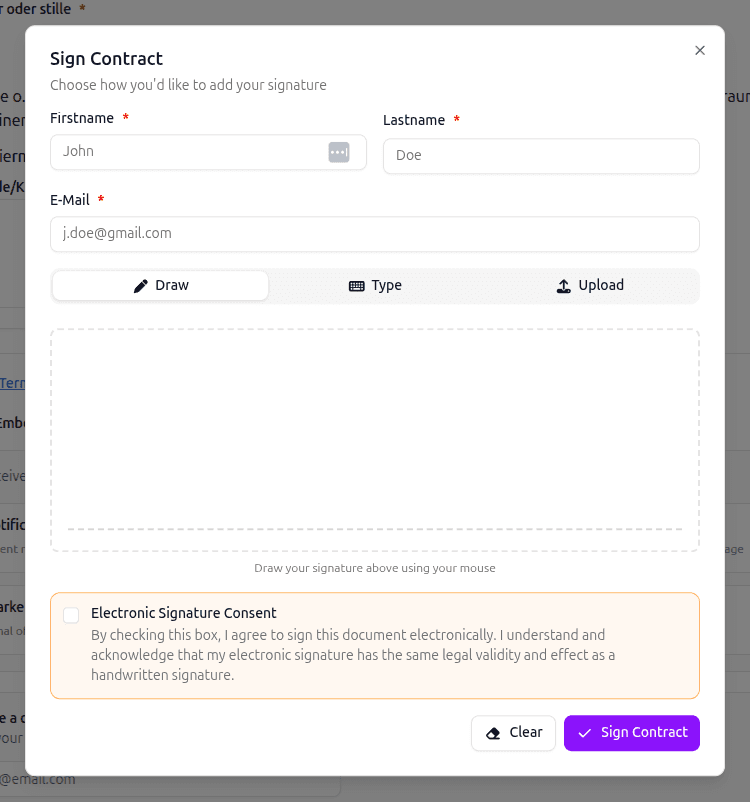
  5. E-Signatures & Digital Evidence Trail

    Every signature is captured with a full digital trail - timestamp, IP address, device info, and the exact version of the form that was signed. Designed to support eIDAS and ESIGN Act requirements for electronic signatures. In a dispute, you have comprehensive documentation of informed consent.

    • Supports eIDAS and ESIGN Act requirements for electronic signatures
    • Full digital trail: timestamp, IP, device, form version
    • Comprehensive consent documentation for dispute resolution
    inkStar e-signature capture with timestamp and digital evidence trail
  6. Encryption & Audit Trail

    Signed consent forms are encrypted at rest and in transit. Every access, modification, and retrieval is logged in an audit trail designed to be tamper-resistant. You know exactly who signed what, when, and who accessed it afterward. Designed to support GDPR requirements - subject to legal review.

    • Encryption at rest and in transit
    • Tamper-resistant audit trail for every form
    • Designed to support GDPR requirements with configurable retention policies
    inkStar encrypted consent form storage with audit trail log

See the difference for yourself

Paper forms are a liability. Generic e-sign tools weren't built for studios. See how inkStar stacks up.

  • Custom Templates

    Paper Forms
    Print new versions each time
    Generic E-Sign
    Basic templates available
    inkStar
    Block editor with drag-and-drop fields
  • Per-Service Forms

    Paper Forms
    Manual sorting by hand
    Generic E-Sign
    No service-level linking
    inkStar
    Auto-attached to service types
  • QR Code Signing

    Paper Forms
    Not possible
    Generic E-Sign
    Email links only
    inkStar
    Scan, fill, sign on any phone
  • Data Sync to Profiles

    Paper Forms
    Manual data entry
    Generic E-Sign
    No client profile integration
    inkStar
    Auto-syncs to client profiles
  • E-Signatures

    Paper Forms
    Pen signatures, easily disputed
    Generic E-Sign
    Legally binding e-signatures
    inkStar
    Legally binding with full audit trail
  • End-to-End Encryption

    Paper Forms
    Paper in a filing cabinet
    Generic E-Sign
    Server-side encryption only
    inkStar
    End-to-end encrypted at rest and in transit
  • GDPR Compliance

    Paper Forms
    No access controls or audit
    Generic E-Sign
    Basic compliance features
    inkStar
    Full GDPR compliance built-in
  • Audit Trail

    Paper Forms
    No tracking whatsoever
    Generic E-Sign
    Basic activity logs
    inkStar
    Tamper-proof trail with timestamps
  • Medical Questionnaires

    Paper Forms
    Generic printed forms
    Generic E-Sign
    Not industry-specific
    inkStar
    Purpose-built for tattoo and PMU
  • Storage & Retrieval

    Paper Forms
    Filing cabinets, hard to search
    Generic E-Sign
    Cloud storage, basic search
    inkStar
    Instant retrieval linked to client profiles

Studios that switched to digital consent

See how real studio owners eliminated paperwork headaches and protected their business with inkStar's consent forms.

  • We threw out our filing cabinet on day one. Every form is signed, stored, and searchable in seconds.

    We used to spend 20 minutes before each session printing forms, explaining them, and filing the signed copies. Now clients scan the QR code in the waiting area, fill everything out on their phone, and we have a clean digital record before they sit down. We've saved at least 5 hours a week on admin alone.

    Jonas Hartmann
    Owner, Iron & Ink Studio · Hamburg, Germany
  • My clients love signing on their phone. It feels professional, and I know my forms will hold up legally.

    In PMU, the consent process is critical - clients need to understand the risks, confirm their medical history, and agree to aftercare. With paper, half the forms came back incomplete. Now every field is validated before submission, and I have a timestamped e-signature for every single client. Peace of mind I never had before.

    Sarah Vogt
    PMU Artist, Brow Atelier · Munich, Germany
  • Managing consent for 6 artists across 200+ clients a month was chaos. Now it runs itself.

    Each artist has their own templates assigned to their services. When a client books online, the right form is attached automatically. By the time they arrive, everything is already signed. I used to spend an entire afternoon each week sorting through paper forms. That time is gone completely.

    Laura Becker
    Studio Manager, Collective Ink · Dusseldorf, Germany

Frequently asked questions

Everything you need to know about digital consent forms, e-signatures, and GDPR-compliant storage with inkStar.

inkStar's block editor lets you build consent forms from scratch using drag-and-drop blocks. Add text paragraphs, checkboxes, signature fields, date pickers, medical questionnaires, and photo release clauses. Reorder sections by dragging them, preview the form on mobile, and save it as a reusable template. You can also duplicate existing templates and modify them for different services.

Each consent form has a unique QR code. Display it on your counter, print it for the waiting area, or include it in booking confirmation emails. Clients scan the code with their phone camera, fill out the form in their browser (no app needed), and sign with their finger. The signed form is submitted instantly and linked to their appointment. They can even complete it before arriving at the studio.

Yes. inkStar's e-signatures meet the requirements of the eIDAS Regulation (EU) and the ESIGN Act (US) for legally binding electronic signatures. Every signature is captured with a timestamp, IP address, device information, and the exact form version that was signed. This creates a verifiable digital trail that holds up in legal disputes.

All signed consent forms are encrypted end-to-end - both at rest and in transit. Data is stored in GDPR-compliant data centers with automatic retention policies. Every access, modification, and retrieval is logged in a tamper-proof audit trail. You control who can access forms, and you can export or delete data at any time to comply with data subject requests.

Yes. You can link specific consent templates to specific service types. A full tattoo session can require a medical questionnaire, risk disclosure, and aftercare agreement, while a piercing might need a different risk form, and a PMU touchup might only require a photo release. When a client books a service, the correct forms are attached automatically.

When a client submits a signed form, structured data like allergies, medical conditions, emergency contacts, and consent preferences are automatically extracted and stored as searchable fields on their client profile. This means you don't have to manually enter information or dig through PDFs. The data is always current and available at a glance during any session.

Yes, fully. inkStar is designed for GDPR compliance from the ground up. Consent forms are encrypted, access is logged, and data retention policies are enforced automatically. Clients can request access to their data or request deletion at any time, and you can fulfill those requests directly from the platform. All data is stored in EU data centers.

Yes. You can share the consent form link via email, SMS, or your booking confirmation. Clients fill out and sign the form on their own phone at home, on the bus, or wherever they are. By the time they walk into your studio, everything is already signed, verified, and synced to their profile. No waiting, no clipboards, no wasted session time.

Still have questions?
Contact Support

Ready to Transform Your Studio?

Start your free trial today and see for yourself how inkStar simplifies your daily workflow.

What you get with your free trial:

  • Full access to all features for 7 days
  • Free data migration assistance
  • Personal onboarding session
  • Dedicated support team
  • 7-day free trial
  • Cancel anytime
  • GDPR compliant
  • Encrypted data at rest & in transit
inkStar

Everything Your Studio Needs

Built by studio owners, for studio owners

  • Works Offline
    Full functionality without internet. Syncs automatically when you're back online.
  • Digital Contracts
    Consent forms, signatures, and medical history. All paperless and legally sound.
  • Integrated Payments
    Card, PayPal, Klarna installments. Automatic deposit collection at booking.
  • Smart Scheduling
    Availability-based slot suggestions. Online booking page for your customers.
Artist Testimonial
inkStar transformed my chaotic studio into a professional business.
Maria Chen
Tattoo Artist, Berlin
Digital Consent Forms & Waivers for Tattoo & PMU Studios | inkStar